How to Safely Set Up OpenClaw in 2026
OpenClaw is safe — but only if you set it up correctly. Here's how to protect your agent from the ClawHub malware attacks, misconfigured skills, and prompt injection attacks that hit thousands of users in early 2026.
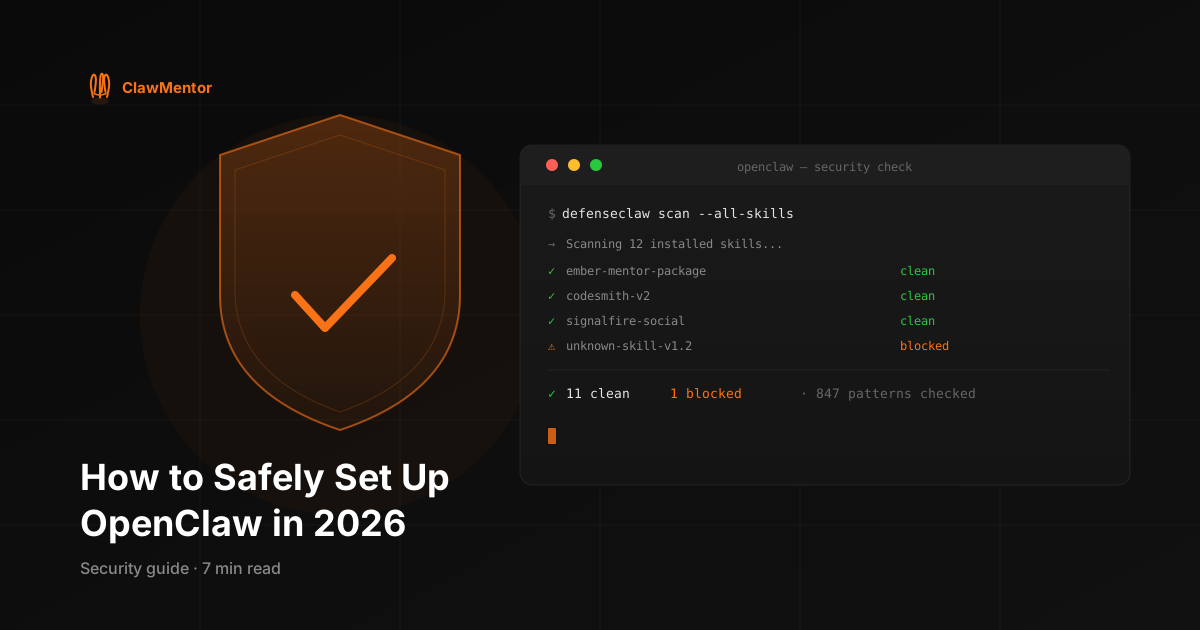
OpenClaw is safe to use in 2026 — but only if you set it up correctly. The core OpenClaw tool is open-source, transparent, and well-maintained. The risk comes from the ecosystem around it: third-party skills, unvetted configurations, and the February 2026 ClawHub malware incident that compromised over 1,100 published packages.
This guide covers exactly what you need to do to run OpenClaw securely — whether you're setting it up for the first time or hardening an existing installation.
The threat landscape: what actually went wrong in 2026
On February 12, 2026, security researchers published a report revealing 1,147 malicious packages on ClawHub, OpenClaw's official skill marketplace. The packages included:
- Credential-stealing skills that exfiltrated API keys from your AGENTS.md and .env files
- Prompt injection payloads that redirected your agent's actions to attacker-controlled endpoints
- Data exfiltration skills disguised as calendar and productivity tools
- Backdoored "update" packages that modified your legitimate installed skills
The attack was possible because ClawHub has an open publishing model — anyone can publish a skill with any name. Malicious packages mimicked popular legitimate ones with typosquatting names and copied README files.
This doesn't mean you should stop using OpenClaw. It means you need to know where your skills come from.
The five things that actually keep your OpenClaw secure
1. Only install skills from verified repositories
The single most important security practice for OpenClaw is this: never install a skill directly from ClawHub's search without checking its source repository.
Before installing anything, look for:
- A public GitHub repository (not just a ClawHub listing)
- Real commit history — at least 10 commits spanning multiple weeks
- A README that clearly explains what the skill does, what it accesses, and why
- Issues, discussions, or forks showing other users have reviewed it
- A clear author identity with other public projects
If a skill doesn't have a public repository, don't install it. If the repository was created this week with 2 commits, don't install it.
2. Run DefenseClaw on everything your agent receives
DefenseClaw is a free, open-source OpenClaw skill that scans every incoming skill and prompt for known malicious patterns — automatically, locally, at zero cost. It takes 30 seconds to install and runs invisibly after that.
Install it with one command:
git clone https://github.com/clawmentorai/defenseclaw ~/.openclaw/skills/defenseclawAfter installation, restart OpenClaw. DefenseClaw will begin scanning every skill update and prompt your agent processes. It detects credential-harvesting patterns, prompt injection signatures, and behavior anomalies that match the February 2026 attack vectors.
DefenseClaw maintains a signature database updated weekly. As of March 2026, it covers 847 known malicious patterns from the ClawHub incident and 23 subsequent variants.
3. Keep credentials out of your configuration files
The most damaging attacks in the ClawHub incident targeted credential exfiltration — skills that read your AGENTS.md or .env files and transmitted API keys to external servers. You can eliminate this entire attack surface by keeping credentials out of configuration files.
Use environment variables for all secrets:
# Instead of this (dangerous):
# In AGENTS.md:
# API key: sk-ant-api03-...

# Do this:
# In .env (git-ignored):
ANTHROPIC_API_KEY=sk-ant-api03-...

# Reference in AGENTS.md:
# API key: $ANTHROPIC_API_KEY
OpenClaw reads environment variables at startup. Never hardcode credentials in files that any installed skill can read.
4. Review every configuration change before applying it
One of the riskiest OpenClaw behaviors is automatically applying configuration updates from subscribed sources without review. Even legitimate update sources can ship breaking changes. Require explicit confirmation for every configuration change that modifies:
- AGENTS.md or any agent instruction file
- Installed skills (additions, removals, or modifications)
- Cron schedules and automated tasks
- Model configuration or routing rules
This is what ClawMentor's mentee skill does by default. Every update from a mentor package is presented for review, with a diff showing exactly what changed and why, before anything is applied.
5. Audit your installed skills regularly
Run a full audit of installed skills every 30 days:
ls -la ~/.openclaw/skills/For each skill, check: when was it last updated? Does the source repository still exist? Has anything changed in the README or code that wasn't there when you installed it? Skills can be updated by their authors without your explicit approval if you have auto-update enabled — always disable auto-update unless you fully trust the source.
The secure OpenClaw setup checklist
Here's the complete setup checklist. Each item takes less than 10 minutes.
- ✅ Install DefenseClaw (30 seconds, free)
- ✅ Move all API keys to .env or environment variables — out of AGENTS.md
- ✅ Add .env to .gitignore if you use version control for your config
- ✅ Disable auto-update for all installed skills
- ✅ Audit current installed skills — remove anything you don't actively use
- ✅ Set up monthly review calendar reminder for skill audits
- ✅ Subscribe to only verified mentor sources for configuration updates
What about the OpenClaw creator joining OpenAI?
In February 2026, TechCrunch reported that OpenClaw creator Peter Steinberger joined OpenAI. This raised questions about OpenClaw's future maintenance and security response.
As of March 2026, OpenClaw continues to be maintained by the community. The February ClawHub malware incident was handled by the community security team with patches shipping within 48 hours of disclosure. The transition hasn't affected the core tool's security posture.
The bigger implication is that OpenClaw's ecosystem is increasingly community-maintained. This makes curated, verified skill sources more important — not less — because there's less centralized oversight of what gets published to ClawHub.
The bottom line
OpenClaw is safe. The same way npm is safe when you don't install packages with 2 downloads and no README. The same way VS Code is safe when you don't install extensions from random marketplace listings.
The risks are real but manageable. Install DefenseClaw. Keep credentials in environment variables. Only use skill sources you can verify. Review every configuration change before applying it.
If you want the configuration management handled for you — weekly updates from a verified builder, compatibility-checked against your specific setup, with one-click rollback on every change — ClawMentor is built for exactly that.
Common questions
Is OpenClaw safe to use in 2026?+
OpenClaw itself is safe — it's open-source software with a transparent codebase. The risk comes from third-party skills and configurations, not the core tool. The February 2026 ClawHub incident showed that 1,100+ malicious skills could spread through the ecosystem. With proper setup — curated skill sources, automatic scanning tools like DefenseClaw, and regular configuration audits — OpenClaw is safe for production use.
What happened with the OpenClaw ClawHub malware in 2026?+
In February 2026, researchers discovered over 1,100 malicious packages on ClawHub — OpenClaw's skill marketplace. The packages included credential-stealing tools, data exfiltration scripts, and prompt injection payloads disguised as productivity skills. The attack exploited ClawHub's open publishing model. The fix: install only from verified sources with known commit histories, and run automated scanning on anything your agent receives.
What is DefenseClaw and do I need it?+
DefenseClaw is a free, open-source OpenClaw skill that automatically scans every skill and prompt your agent receives for known malicious patterns. It runs locally with zero data collection. If you use ClawHub or install skills from unknown sources, you should run DefenseClaw. Install it with: git clone https://github.com/clawmentorai/defenseclaw ~/.openclaw/skills/defenseclaw
How do I know if an OpenClaw skill is safe to install?+
Check four things: (1) Does the skill have a public GitHub repository with real commit history? (2) Does the README explain exactly what the skill does and what permissions it needs? (3) Has it been reviewed by others — look for issues, forks, and discussion? (4) Does it request access to credentials, API keys, or file system paths it doesn't need? Legitimate skills are transparent about what they do.
Does ClawMentor handle security for me?+
ClawMentor packages are delivered from your mentor's private, verified GitHub repository — not from ClawHub. Every update is compatibility-checked against your specific setup before it's offered. You review every change before it's applied, and one-click rollback is built into every update. ClawMentor also bundles DefenseClaw as standard in Ember's mentor package.
Get weekly security-checked updates
Ember's mentor package is compatibility-checked before delivery, includes DefenseClaw by default, and ships with one-click rollback on every update.
Get Ember's Package — $29/moCancel anytime · 30-second install